开始下载
- 软件大小: 11.98 MB
- 软件语言: 简体中文
- 软件类别: 国产软件 / 免费版 / 扫描仪驱动
- 运行环境: Win9x/NT/2000/XP/win7/win8/
- 软件更新: 2016-9-2 10:53:22
- 解压密码: www.edowning.net
- 下载次数: 0
- 软件评级:

- 本站推荐:
软件介绍
Canon CanoScan LiDE 70扫描仪驱动程序 v. 12.1.1 (Windows 7/Vista/XP/2000/Me/98)
发行编号 : 0100110601
操作系统
Windows 7
Windows Vista
Windows XP
Windows 2000
Windows Me
Windows 98
要点
本产品为用于 Canon 彩色图像扫描仪的兼容 TWAIN 的扫描仪驱动程序。
更新历史记录
很抱歉地通知您该项解释说明的中文版正在准备,请参照以下英文解释。
- Windows 7 has been added as a supported OS.
系统要求
Windows 7(32bit)
Windows Vista(32bit)
Windows XP SP2 或更新的版本
Windows 2000 Professional SP4 或更新的版本
Windows Me
Windows 98
注意
很抱歉地通知您该项解释说明的中文版正在准备,请参照以下英文解释。
[Windows 7]
1. The name of the scanner icon on Devices and Printers can be displayed just "CanoScan."
Preventive action: Right-click the scanner icon, then display the property; you can confirm the connected product name.
[Windows Vista]
1. The PC enters the Sleep or Hibernate mode when ScanGear is beinglaunched. After the PC resumes, the scanner may not function correctly.
Preventive action: Remove and insert the USB cable and AC adapter, or power OFF/ON the scanner.
2. The Processing image progress bar displayed after film-scanning cannot be displayed correctly.
Preventive action: No problem in operation. If you worry about the mismatch, use Classic Style for the OS display.
3. When using Larger scale, ScanGear may not be displayed properly.
Preventive action: When using Larger scale, use Classic Style for the OS display.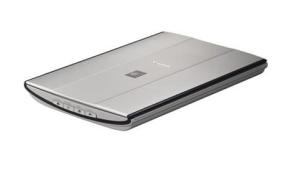
下载地址
 点这里下载-> 佳能Canon CanoScan LiDE 70 扫描仪驱动 免费版[迅雷高速下载]点这里下载-> 佳能Canon CanoScan LiDE 70 扫描仪驱动 免费版[迅雷高速下载]点这里下载-> 佳能Canon CanoScan LiDE 70 扫描仪驱动 免费版[亿恩科技提供]点这里下载-> 佳能Canon CanoScan LiDE 70 扫描仪驱动 免费版[亿恩科技提供]点这里下载-> 佳能Canon CanoScan LiDE 70 扫描仪驱动 免费版[腾佑科技提供]点这里下载-> 佳能Canon CanoScan LiDE 70 扫描仪驱动 免费版[腾佑科技提供]
相关软件
- 佳能Canon CanoScan LiDE 600F 扫描仪驱动 免费版
- 佳能Canon CanoScan LiDE 60 扫描仪驱动 免费版
- 佳能Canon CanoScan LiDE 500F 扫描仪驱动 免费版
- 佳能Canon PIXMA MG3620 打印机驱动 免费版
- 佳能Canon iR C3180i 打印机驱动 免费版
- 佳能Canon iR C3100N 打印机驱动 免费版
- 佳能Canon imageFORMULA P-215II 扫描仪驱动 免费版
- 佳能Canon CanoScan N676U 扫描仪驱动 免费版
- 佳能Canon CanoScan 3000ex 扫描仪驱动 免费版
- 佳能Canon CanoScan 3000F 扫描仪驱动 免费版
- 更多相关 GO!->
帮助说明
- 请一定升级到最新版[WinRAR],如果不能下载,请点击报告错误,如有其它问题,欢迎发信联系管理员
- 如何查看系统是32位还是64位的教程
- 安装打印机驱动时提示“确认打印机已连接”的问题解决教程
- 驱动程序在安装时没有数字签名的解决教程